Case study · MyCase · Legal tech
One system of record, not one more tool
Embedded eSignature for law firms: starting with the one document every case needs, then grown from evidence.
The problem
Work stalls until someone signs.
No case starts until the client signs a retainer agreement. Firms were emailing PDFs and waiting for clients to print, sign, scan and send them back.
Firms were paying twice
Almost half the firms we talked to (47%) already paid for DocuSign or Adobe Sign. They re-entered data across tools, and their signed documents lived outside the case file.
It was costing us deals
Prospects who wanted full document management inside their case platform listed missing eSignature as a reason not to buy.
Two audiences, one experience
Firms are the customer. Their clients are the signers, and the signers never chose MyCase. Signing had to feel effortless to someone who’d never seen the product.
Role & scope
What I owned
I led research and design from discovery through launch and the post-launch roadmap: customer interviews, a survey, three low-fidelity concepts, and moderated usability testing. I partnered with product management to define the MVP and its release plan, and with engineering on delivery.
Approach
Start with the one document every case needs.
Discovery
Interviews and a survey showed that firms wanted “everything in MyCase.” They also showed which document mattered most. Nearly every case starts with a retainer agreement, and a firm can’t get paid or start work until it’s signed. It’s also a simple document: one signer, plus signature, initials and date fields. Firms were already sending about 10 signature requests a week.
Scoping the MVP
Instead of matching DocuSign feature for feature, we built for that one use case. I tested three concepts around two questions:
- What’s the minimum a firm needs before it will cancel its third-party tool?
- How do we design it so it can extend to more complex use cases later?
The MVP
Upload, place the fields, send. The signed copy files itself.
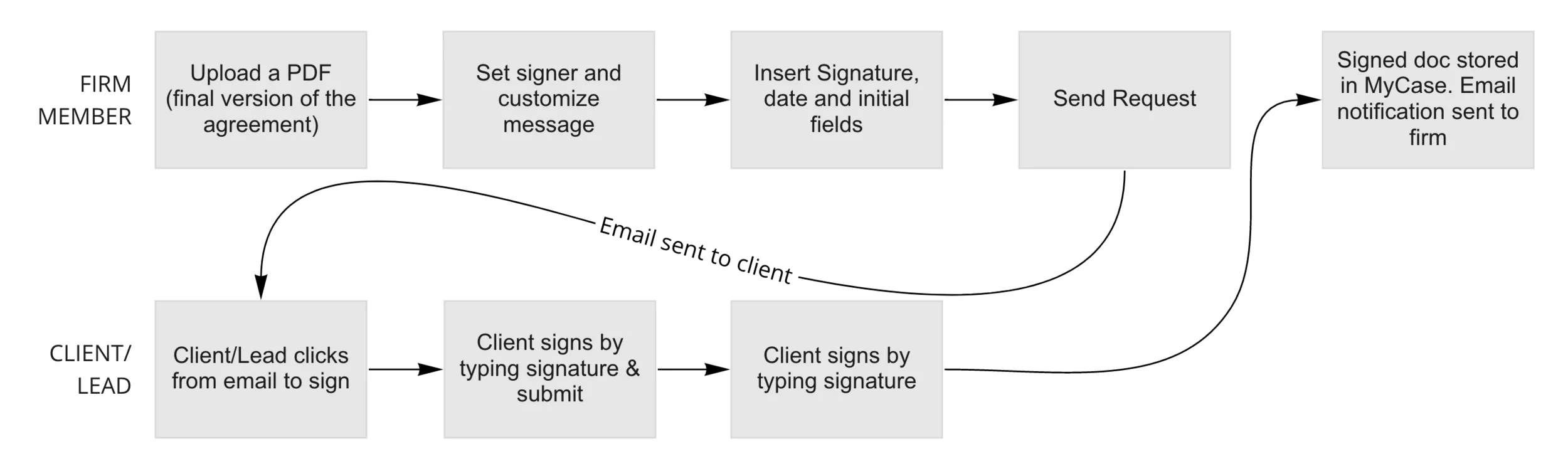
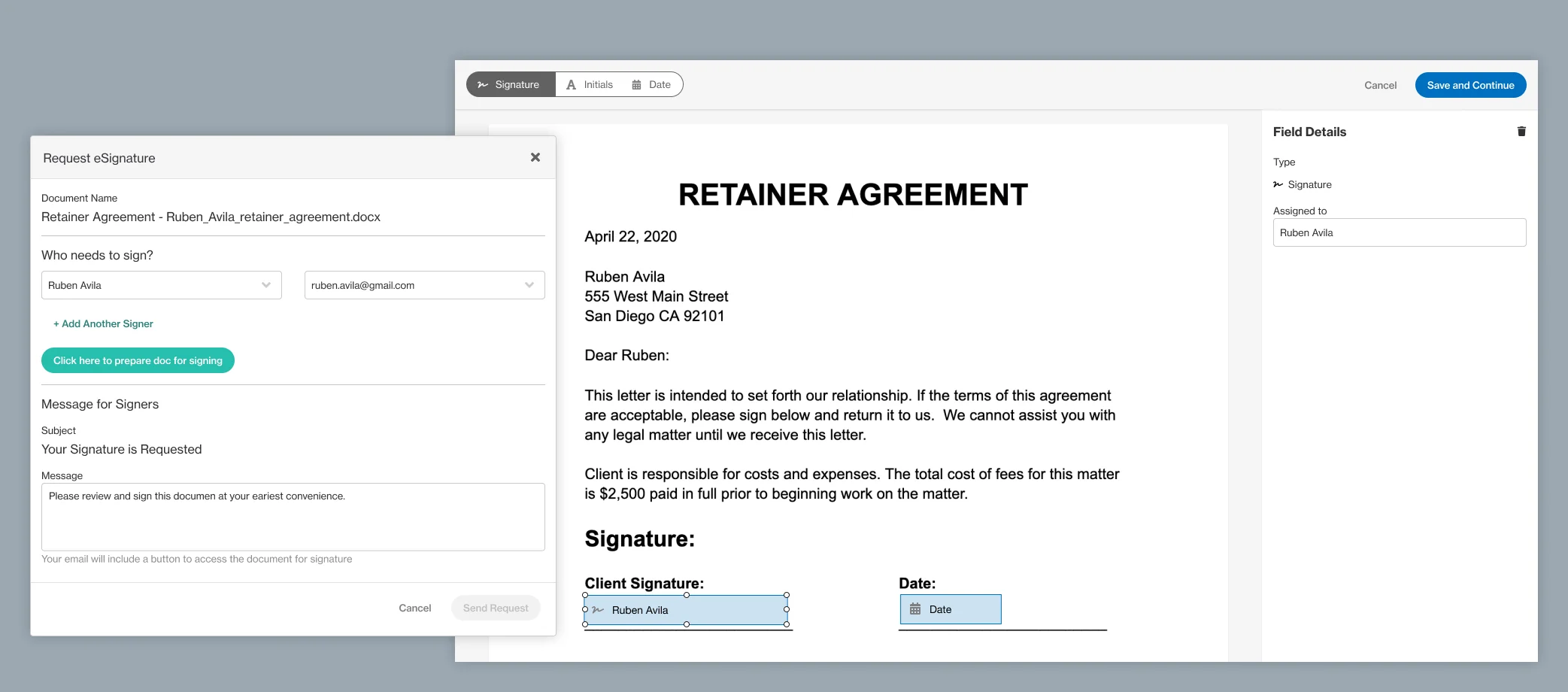
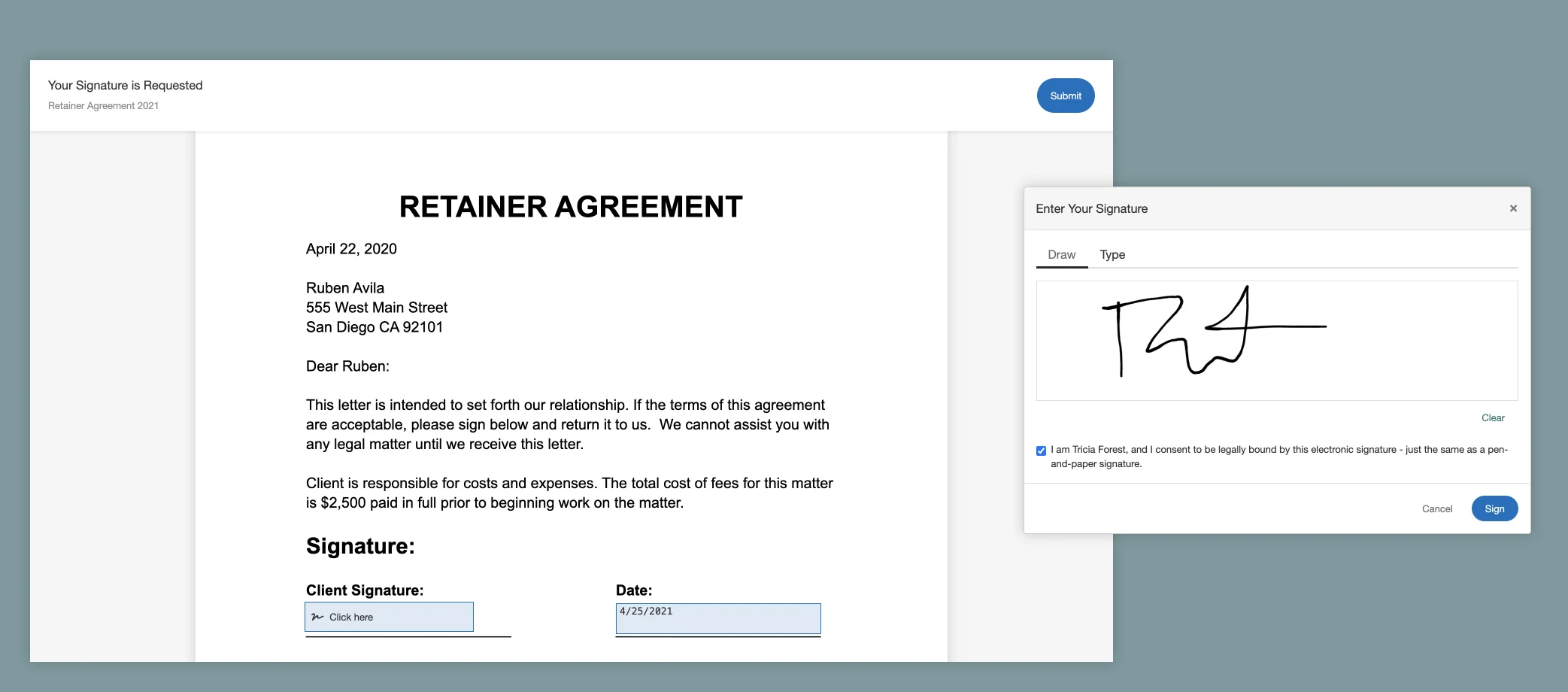
A firm uploads a PDF, places the signature, initials and date fields, and sends it. The client gets an email, clicks, types their signature and submits. The signed copy goes back to the firm and is filed automatically in the case.
Deep dive: design
One flow for the firm, a familiar page for the signer.
Validation
Moderated tests confirmed that the MVP was usable and covered enough to replace an existing tool.
“Right now I’m using Adobe Sign and MyCase… I would 100% use this feature.”Elizabeth, Attorney
Outcomes & impact
Hit the adoption goal we set before building.
We defined regular use up front: firms sending 5+ signature requests a week.
Regular use, on target
Of firms with 3+ users, within 6 months of launch. Firms with 10+ users reached 33% against a 35% target.
Requests per firm
Average requests per firm rose 57% from February 2020.
Of all customers
Were sending 5+ requests a week by the end of Q1 2021.
Of new deals
Cited eSignature as a top reason for purchase, from launch through April 2021. Competitors offered paid integrations instead.
Stickier product
Firms dropped a separate subscription and kept the whole case record in one place.
No training needed
One customer told our PM that his staff learned eSignature on their own, where new features usually meant training them.
What came next
Continuous discovery shaped the roadmap.
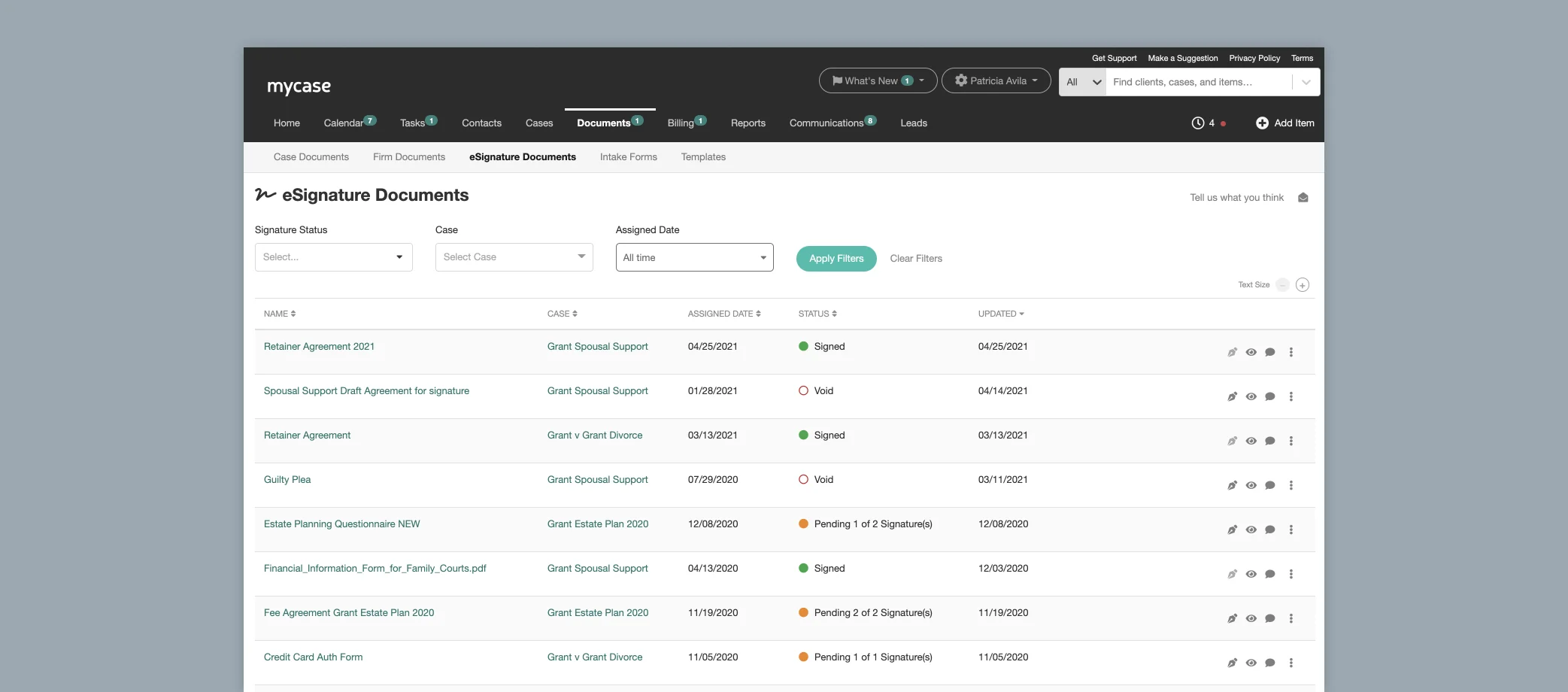
After launch we added countersigning, multiple signers, drawn signatures, fillable fields, in-person “sign now,” and Word documents. We also added a dashboard for tracking pending requests and templates for documents firms send again and again. Next in line: merging case and contact data into fields, envelopes that bundle several documents into one request, and detecting fillable fields in uploaded PDFs.
eSignature also pointed to a bigger problem. Research for the follow-on project, MyCase Drive, found that poor document management was the #1 reason prospects chose a competitor. I led the work that became MyCase File Sync: open and edit a case file from the browser in your desktop editor, save, and it syncs back. It included one-click PDF conversion for sharing with clients and for eSignature. 18% of firms adopted it within 3 months.
Also read: Verifiable trust, made visible
How research changed what we built to give enterprise buyers proof they could act on.